Download management software is exactly as it sounds – a tool that manages the downloads of files from the internet – and the various options are often built-in to our favorite search engines, such as Chrome, Safari, and Internet Explorer. However, what isn’t so simple is why such a tool is useful and who should be using them. Simply put, download management tools seek to provide a layer of protection between Internet Files and your device. This article will go one further, however, and discuss three top third-party add-on download management tools you can use.
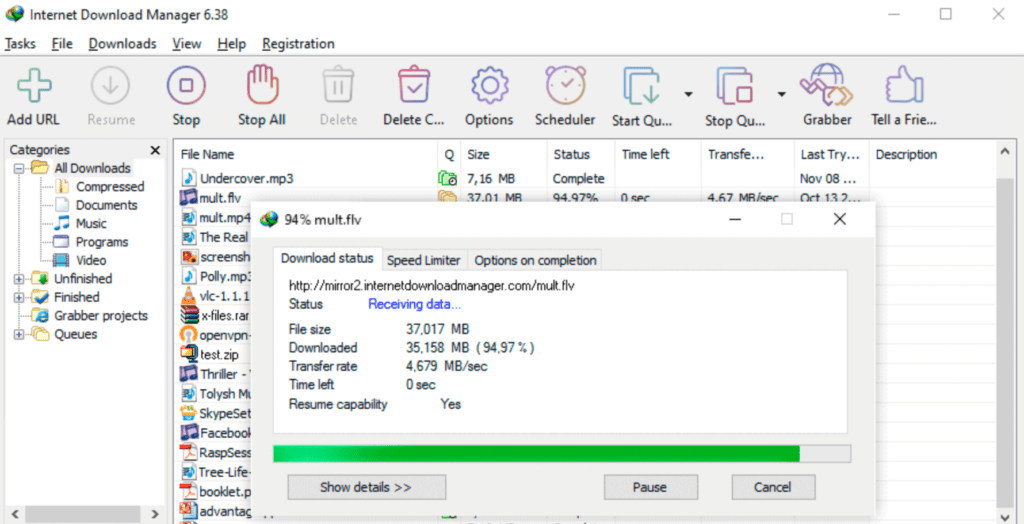
Only available for the Windows operating system, IDM is a shareware download management program. Short for Internet Download Manager, IDM provides a powerful tool for users with very reasonable pricing options. IDM comes with a 30-day free trial period.
Key features of IDM include scheduling downloads, resuming downloads, and error recovery (which can be required after disrupted connections), the ability to ‘drag and drop’ files, or use from the command line. Scheduling downloads for specific times can be useful if you find your download disrupt the normal operation of your device or connection, and IDM can even be programmed to shut down your computer or modem once the downloads are complete.
Error and disruption recovery is particularly useful, especially when downloads are scheduled, because it allows you to continue downloading even if your connection drops out. Oftentimes downloads will have to begin again from the start when this happens and can cause annoying delays.
An incredibly valuable feature of IDM is its file segmentation. It is one of the fastest, if not the fastest, download manager on the market thanks to this innovation. IDM has a ‘smart download logic accelerator,‘ which significantly increases download speeds by separating files during the process and then recombining them afterwards. As their website states, this unique feature enables secure and automatic downloading in multiple parts across single or multiple servers, which speeds-up download times.
Another notable feature, for which IDM is widely praised, is its excellent browser integration with numerous search engines. The tool is accessible, making it easy to use and a useful plug-in. It also includes automatic virus checking, which is a massive plus for hassle and stress-free internet download management.
IDM is supported in multiple languages and has a simple user interface that has been enhanced in recent updates. It is more functional and user friendly, with features such as status information and multi-resume options being added. It is also an easy tool to install and uninstall.
For many users, the decision comes down to their download manager being free or not. As for a paid service, IDM is reliable and very good value for money if you can afford it.
